

You’re on TikTok every day. You scroll, you comment, you post, but there’s a good chance you’ve been missing something hiding right in the comment section this whole time.
Ever seen a strange little cartoon emoji in someone’s comment that you just couldn’t find on your keyboard? That wobbly crying face or the exaggerated shocked expression? Yeah, those aren’t regular emojis. They’re TikTok emojis, and most people have no clue how to use them.
Honestly, it’s one of those features that’s been on the app forever but never really gets talked about. Once you learn how it works, you’ll wonder why nobody told you sooner.
This guide covers everything about TikTok emojis, how the hidden codes work, the full list of codes you can use right now, tips for getting more engagement, mistakes to avoid, and even some emoji combo ideas that’ll make your comments stand out. Let’s get into it.

What Are Hidden Emoji Codes on TikTok?
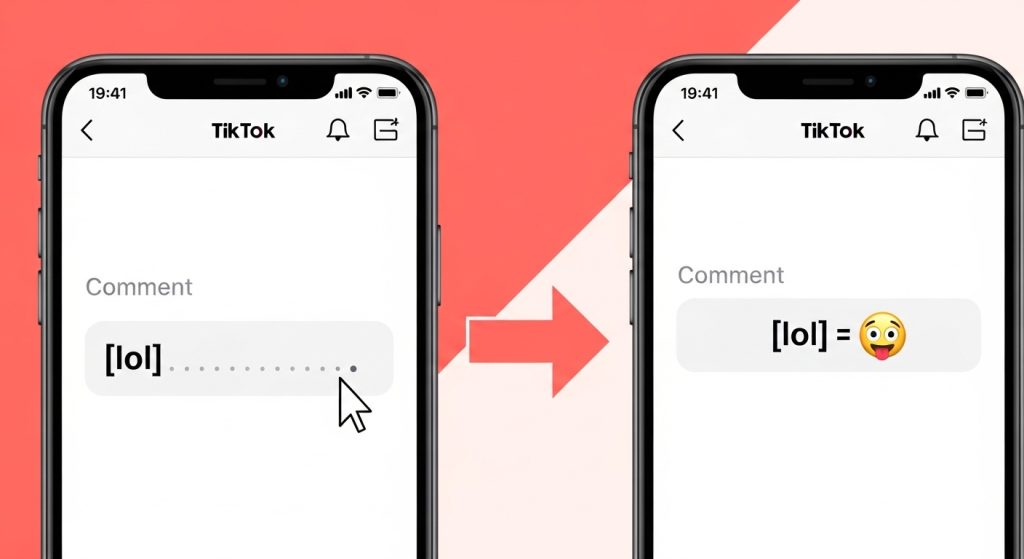
Here’s how it works. TikTok has a list of special words that, when typed in square brackets, automatically turn into emojis after you post.
So if you type [happy] in a comment and hit send, TikTok swaps that text out and shows an actual emoji instead. That’s it. That’s the whole trick.
Most people don’t realize this because the emoji doesn’t appear while you’re typing it only shows up after you post. So the first time you try it, you might think it didn’t work. It did. Just post and see.
The codes are case-sensitive in some versions of TikTok. Lowercase is always the safest bet. And make sure there are no spaces inside the brackets. It has to be exactly right, the app is picky about this.
Popular TikTok Emoji Codes Copy & Paste
Here are 20 TikTok emoji codes that actually work. Just type them exactly as shown, square brackets and all, into any TikTok comment or caption.
| Emoji | TikTok Code | What It Means |
| 😊 | [smile] | Smile |
| 🤣 | [lol] | Laughing |
| 😍 | [loveface] | Love Face |
| 🤔 | [think] | Thinking |
| 😢 | [sob] | Sobbing |
| 😎 | [cool] | Cool |
| 🤩 | [wow] | Wow |
| 😤 | [pride] | Pride |
| 😐 | [awkward] | Awkward |
| 💀 | [skull] | Skull |
| 🤯 | [explode] | Mind Blown |
| 😭 | [cry] | Crying |
| 😈 | [evil] | Evil |
| 😏 | [smileface] | Smug |
| 🥺 | [comeonman] | Pleading |
| 🎉 | [tada] | Celebrate |
| 🔥 | [fire] | Fire |
| 👍 | [like] | Thumbs Up |
| ✌️ | [victory] | Victory |
| 🌹 | [rose] | Rose |
How to Use TikTok Emojis
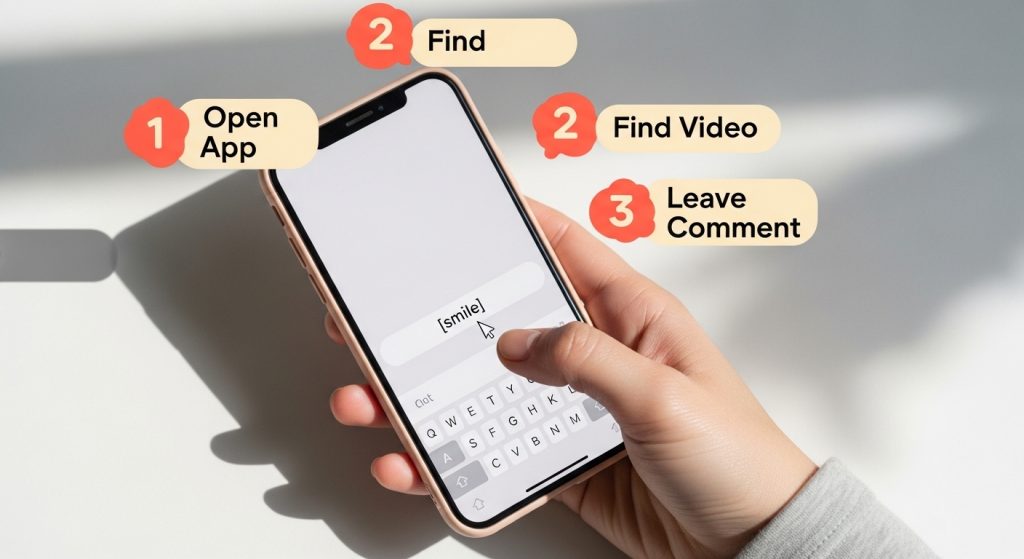
It’s pretty simple once you do it once. Here’s how to use them in both comments and captions.
In Comments:
| 1 | Open any TikTok video and tap the comment icon. |
| 2 | Tap the text field to start typing your comment. |
| 3 | Type your emoji code — like [cry] or [lol] — anywhere in your comment. |
| 4 | Hit send. The code turns into a TikTok emoji automatically. |
In Captions:
| 1 | After recording your video, go to the caption field before posting. |
| 2 | Type the emoji code — like [smile] — wherever you want the emoji to appear. |
| 3 | Post your video. The code converts to the emoji once it goes live. |
One thing to remember: the preview screen won’t show you the emoji before you post. This throws people off a lot. You’ll see the plain text code right up until you hit post — then the emoji appears in the live version. This is normal. Don’t second-guess yourself and delete it.
Also worth knowing: if you’re editing a caption after posting, the code won’t always convert again. Get it right the first time if you can.
What Are TikTok Emojis?
Regular emojis are the ones on your phone keyboard, the yellow smiley faces, hearts, thumbs up, all of that. TikTok emojis are different. They’re a separate collection of custom emojis built specifically for TikTok.
They have their own unique look, more cartoon-like, more expressive, a little more dramatic. And they only show up inside TikTok. You won’t see them on Instagram, WhatsApp, or anywhere else.
The cool part? You don’t need to download anything or switch keyboards. You just need to know the right secret codes.
One thing worth knowing is that TikTok emojis have been around since the early days of the app. They were baked in as a way to make the platform feel more alive and expressive. Regular phone emojis look the same everywhere. TikTok emojis feel like they belong because they were made for the platform specifically.
Think of it like this: regular emojis are the universal language of the internet. TikTok emojis are the native dialect of TikTok culture. Using these signals that you’re an insider, someone who knows how the app actually works.
Why Did TikTok Create Its Own Emojis?
This is something most people never think to ask, but it’s actually a pretty smart move by TikTok.
When TikTok was growing fast, they wanted to create a sense of community that felt unique to the app. Custom emojis were one way to do that. They’re part of what makes TikTok feel like its own world, not just another social media app with the same features everyone else has.
There’s also a practical reason. TikTok emojis are more expressive than standard emojis. The cartoon style is more dramatic, more fun, and more visually striking in a feed full of content. They grab attention in a way a plain yellow smiley face just doesn’t anymore.
And honestly? They’re a subtle way for TikTok to keep users engaged with the platform. When something feels exclusive to one app, people are more likely to stay and use it. TikTok emojis are a small but clever part of that strategy.
Best TikTok Emoji Combos to Try
Once you’ve got the basics down, you can start combining codes for greater personalization. Emoji combos are when you use two codes together in the same comment or caption to create a specific vibe or reaction.
Here are some combinations that work really well:
| Vibe | Combo Code | When to Use It |
| Funny reaction | [lol] + [skull] | For something hilariously unbelievable |
| Hyped & excited | [wow] + [tada] | Announcing something big or celebrating |
| Sarcastic/savage | [smileface] + [evil] | When you’re throwing shade with a grin |
| Emotional moment | [sob] + [loveface] | When something hits right in the feels |
| Shock & disbelief | [explode] + [awkward] | When a video leaves you speechless |
| Hype someone up | [fire] + [like] | Showing genuine love for great content |
| Relatable struggle | [cry] + [comeonman] | For ‘why does this always happen to me’ moments |
The key with combos is to keep them relevant. Using [fire] + [like] on a video you genuinely love feels authentic. Using five random codes strung together just looks like spam. Two codes together is usually the sweet spot enough to stand out, not enough to look desperate.
Tips to Use TikTok Emojis the Right Way
1. Match the emoji to the mood
Don’t use a [lol] emoji on a serious or emotional video, it reads as dismissive. Check the vibe of the content first.
2. Mix them with regular emojis
Combining TikTok emojis with your regular keyboard emojis looks natural and balanced. You don’t have to go all-in on one type.
3. Use them in captions too.
Most people only think of comments, but captions are prime real estate. A well-placed TikTok emoji in your caption can make your post feel more alive on someone’s feed.
4. Keep it to 2–3 max
Enough to add personality, not so many it becomes noise. A single well-chosen emoji often does more than four random ones.
5. Test in comments first
Try a new code in someone else’s comment before putting it front and center in your own caption. That way, you know exactly how it looks when posted.
6. Think about your audience
If your TikTok account is in a niche like cooking, fitness, or education, pick emojis that feel appropriate for that world. A [skull] might work great for a gaming creator and feel totally off for a wellness account.
7. Use them early in your caption
Emojis at the start of a caption catch the eye before someone even reads the words. Leading with a TikTok emoji can actually improve how many people stop to read your full caption.
Common Mistakes to Avoid
1. Forgetting the brackets
The most common one. If you type happy without the square brackets, nothing happens. It has to be [happy].
2. Adding spaces inside the brackets
[ smile ] won’t work. Keep it tight: [smile].
3. Using codes that don’t exist
Not every word works. Stick to the known list making up codes just leaves plain text in your post, which looks odd.
4. Expecting it to show while typing
It won’t. The emoji only appears after you hit post. Don’t panic and delete your comment, thinking it failed.
5. Going overboard
Using six TikTok emojis in one comment makes it look chaotic. A little really does go a long way.
6. Using the wrong emoji for the context.
A [pride] emoji on a sad story or an [evil] on a wholesome post just creates confusion. Read the room.
7. Copying codes with extra formatting
If you’re copying code from somewhere online and it includes hidden characters or formatting, the code might not convert. Type it manually if in doubt.
Who Should Be Using TikTok Emojis?
Anyone using TikTok can benefit from emoji codes, especially content creators and people trying to grow their accounts. Creators use them to make captions feel more natural and engaging, which helps build credibility. Those focused on growth can use them in comments to boost visibility and get more reactions.
Casual users can enjoy TikTok emojis as a fun way to make their comments more expressive and stand out, while brands and businesses can use them to make their content feel less formal and more relatable, helping them connect better with their audience.
Final Thoughts
TikTok emojis are one of those small things that make a bigger difference than you’d think. They’re free, easy to use, and once you start, you’ll notice them everywhere.
Start with one or two codes from the list and try them in your next comment. If you can type in brackets, you’re already good to go. And if you’re a creator, use them in your captions too, it’s a small change that makes your content feel more natural and engaging on TikTok.
Ready to Make Your Content Stand Out on TikTok?
Using TikTok emojis is a great start, but real growth comes from strong visuals and smart branding. If you want your content to truly grab attention and connect with your audience, working with the best branding agency can make all the difference.
We help creators and businesses turn simple ideas into scroll-stopping content that drives real engagement and builds a strong brand presence.
Let’s talk about how we can help you grow.
📞 Call: +1 (888) 251-7552
📧 Email: info@americandesignhub.com
Frequently Asked Questions
Yes, they work on both. As long as you’re using the TikTok app, the codes convert to emojis after posting, no matter what phone you’re on. The experience is the same across devices.
Make sure you’re using square brackets with no spaces inside, like [smile], not [ smile ]. Also remember: the emoji only appears after you post, not while you’re typing. If the code still doesn’t work, try typing it manually instead of pasting it in case there are hidden formatting characters.
Unfortunately, TikTok emoji codes don’t work in bios right now. They currently only work in comments and captions. This may change in a future update, but for now, the bio field doesn’t support the conversion.
TikTok hasn’t released a major new batch of codes recently, but the existing set of around 40–50 known codes still works reliably. The 20 codes in this guide are all confirmed to work and are among the most popular ones creators use.
Yes, everyone can see them. The emoji is visible to anyone who reads the comment section. That’s exactly what makes them useful, they stand out publicly, not just to you.
TikTok emoji codes primarily work in the mobile app. Results on desktop (tiktok.com) can be inconsistent depending on your browser and TikTok’s web version. The app is always the safest and most reliable place to use them.
There are roughly 40–50 known TikTok emoji codes. TikTok has never published an official full list, so the complete count isn’t confirmed. Most codes have been discovered and shared by creators through trial and error over the years.
Absolutely. You can use more than one code in a single comment or caption, and combining two codes (called a combo) is a popular way to express more complex reactions. Just keep it to two or three max so it doesn’t look cluttered.
Because they are completely different emojis. TikTok designed and built its own custom set specifically for the app, with a more exaggerated and cartoon-like style. They were never meant to match standard phone emojis that uniqueness is the whole point.
No. TikTok has never published an official list. All known codes have been discovered by users experimenting and sharing what works across social media communities and creator blogs. This is part of what makes them feel like insider knowledge.