


OpenAI just opened free, verified business profiles to 1.2 billion weekly ChatGPT users. Here's what it is, who qualifies, and exactly how to claim yours.
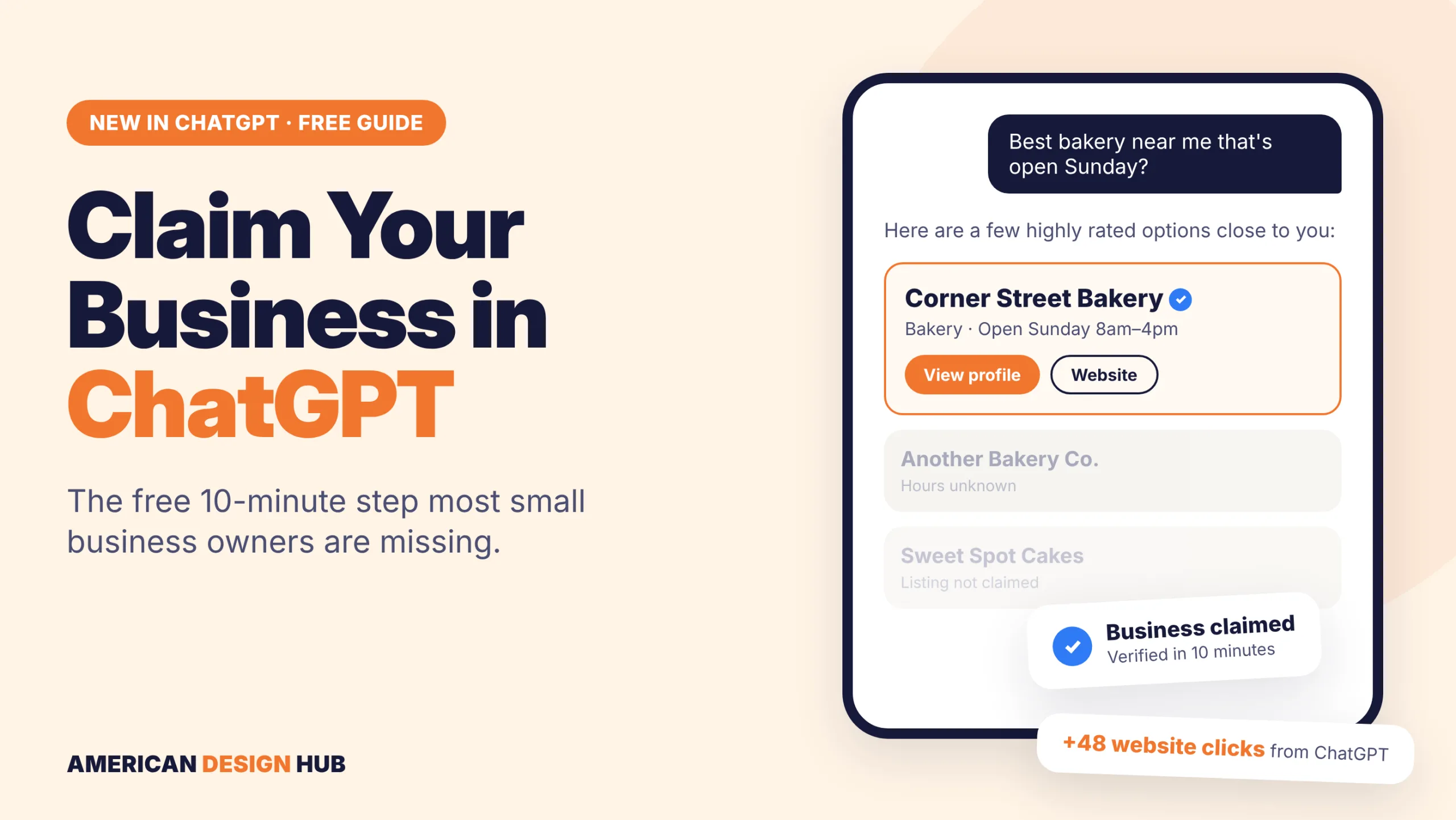
Watch the step-by-step setup: ChatGPT Business Hub tutorial on Instagram
Right now, someone in your town is typing a question into ChatGPT.
"Who makes the best birthday cakes near me?" "Which plumber can come out on a Sunday?" "Where can I get a logo designed for my new business?"
ChatGPT answers with a short list of names. Maybe yours is on it. Maybe it isn't. And until last week, there was nothing you could do about it.
That changed on Tuesday, November 10, 2026. OpenAI launched a beta called Businesses in ChatGPT. For the first time, business owners can claim their business inside ChatGPT, fix the information it shows about them, and see how often ChatGPT mentions them.
It's free. For many businesses it takes about 10 minutes. And most small business owners haven't heard of it yet.
This guide walks you through it in plain English: what it is, who can claim right now, the exact steps, and what to do after so ChatGPT actually recommends you.
What Is "Businesses in ChatGPT"?
Think of it as a Google Business Profile, but for ChatGPT.
When ChatGPT mentions a business in an answer, people can now open that business's profile. If you claim yours, you control what's on it. OpenAI calls the dashboard where you manage it the Business Hub.
Here's what you get once you're verified, according to OpenAI's announcement and TNW's coverage:
- A blue check. It shows customers the profile is officially yours.
- Control of your details. Your name, category, hours, contact info, website and description. Online stores can also add prices and stock.
- Insights from the last 28 days. How often ChatGPT mentions you, how many people clicked through to your website, and the common topics in those answers.
- Privacy for your customers. OpenAI says it does not share people's chats with businesses. You see totals, not conversations.
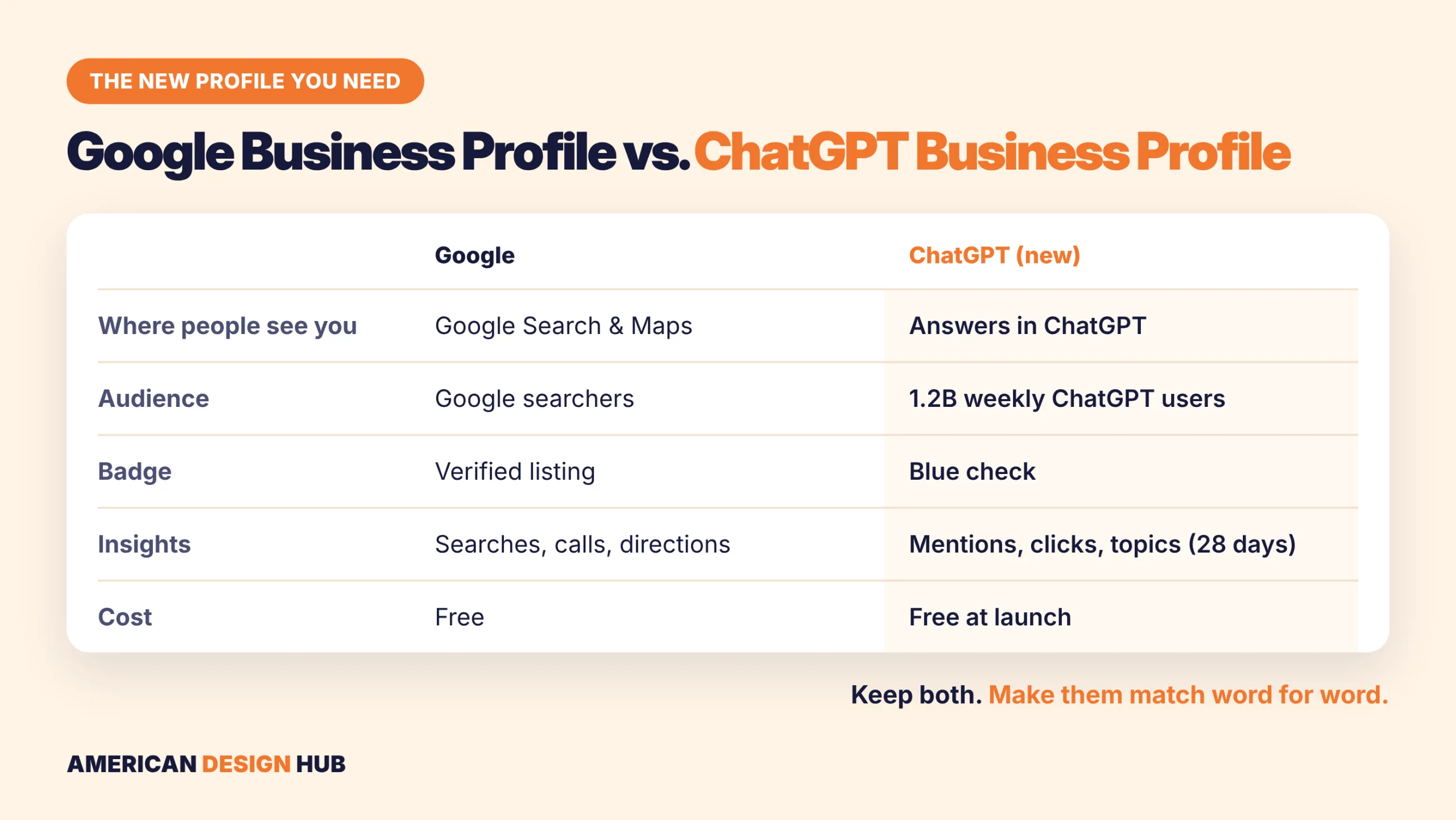
Why this matters: ChatGPT has about 1.2 billion weekly users, per OpenAI. A growing number of them use it the way they used to use Google: to find a shop, a service or a product. If the information ChatGPT has about you is old or wrong (old hours, a closed location, last year's prices), you lose that customer before they ever reach your door.
If you've never set up your Google profile properly either, this is a good week to fix both. Our team covers this as part of Search Engine Optimization for small businesses.
Who Can Claim Right Now (and Who Can't)
This is a beta, so not everyone gets in on day one. Here's how it breaks down, based on Ryze's claim guide:
|
Your business |
Can you claim? |
|---|---|
|
Online business with a website |
Yes. Claim your listing, or add one if it doesn't exist yet |
|
US local store, salon or restaurant |
Yes, but only if ChatGPT already lists you. You can't add a new listing yet |
|
Local business outside the US |
Not documented at launch |
|
Business with no website |
Mostly no. Claiming starts with businesses that have a website |
|
Large companies and advertisers |
Work with an OpenAI representative |
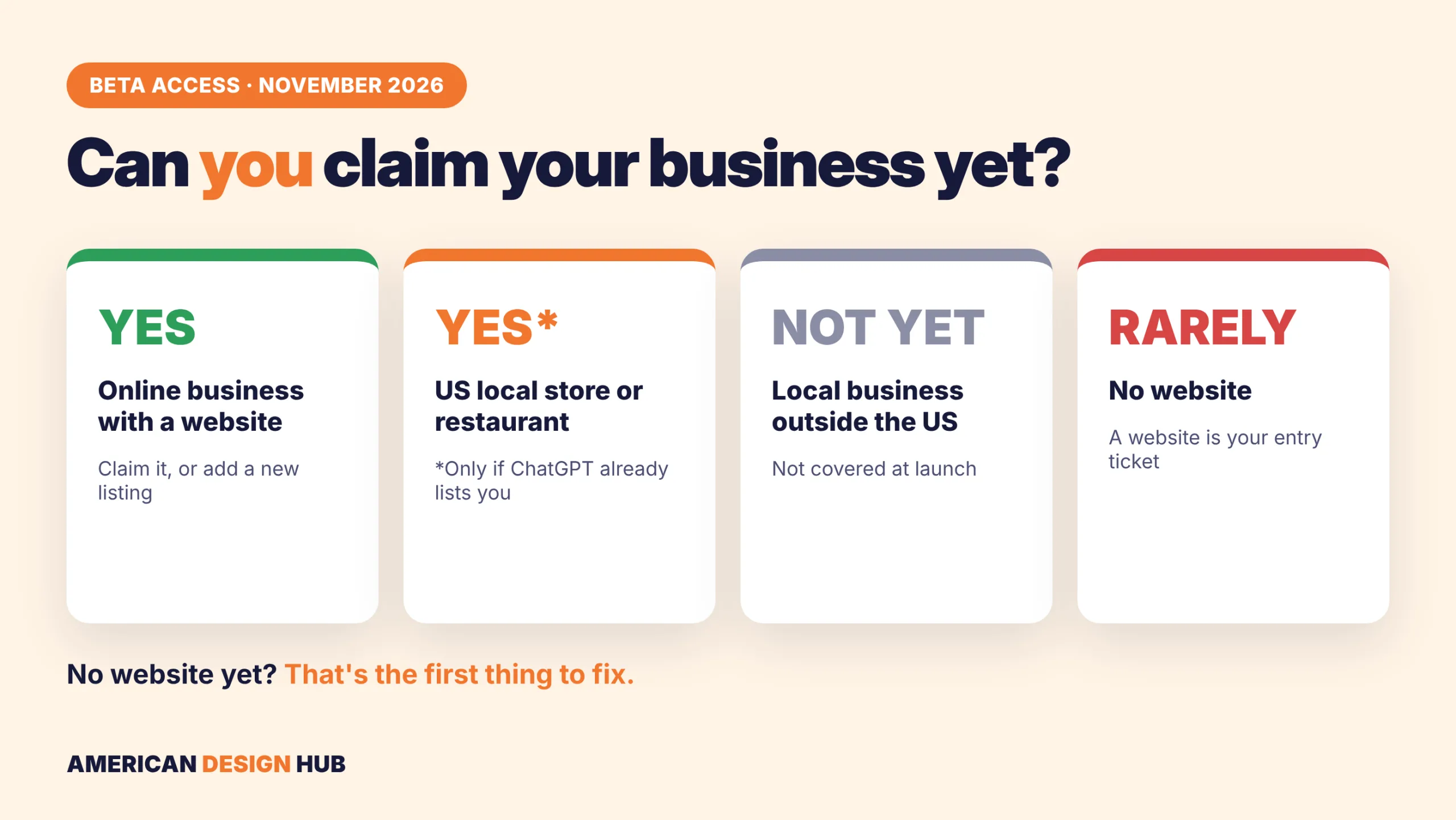
Read that last-but-one row again. If you don't have a website, ChatGPT's new business profiles may skip you completely.
That's not a small detail. A real website is now the entry ticket to AI search, not just Google. If you've been putting it off, American Design Hub builds small business websites that are fast, mobile-friendly and ready for AI search. You can check our pricing first, no call needed.
How to Claim Your Business in ChatGPT: Step by Step
Grab your phone and your business email. Here's the whole process.
Prefer to watch? We recorded the full ChatGPT Business Hub setup, screen by screen. Watch the step-by-step setup video on Instagram, then follow along below.
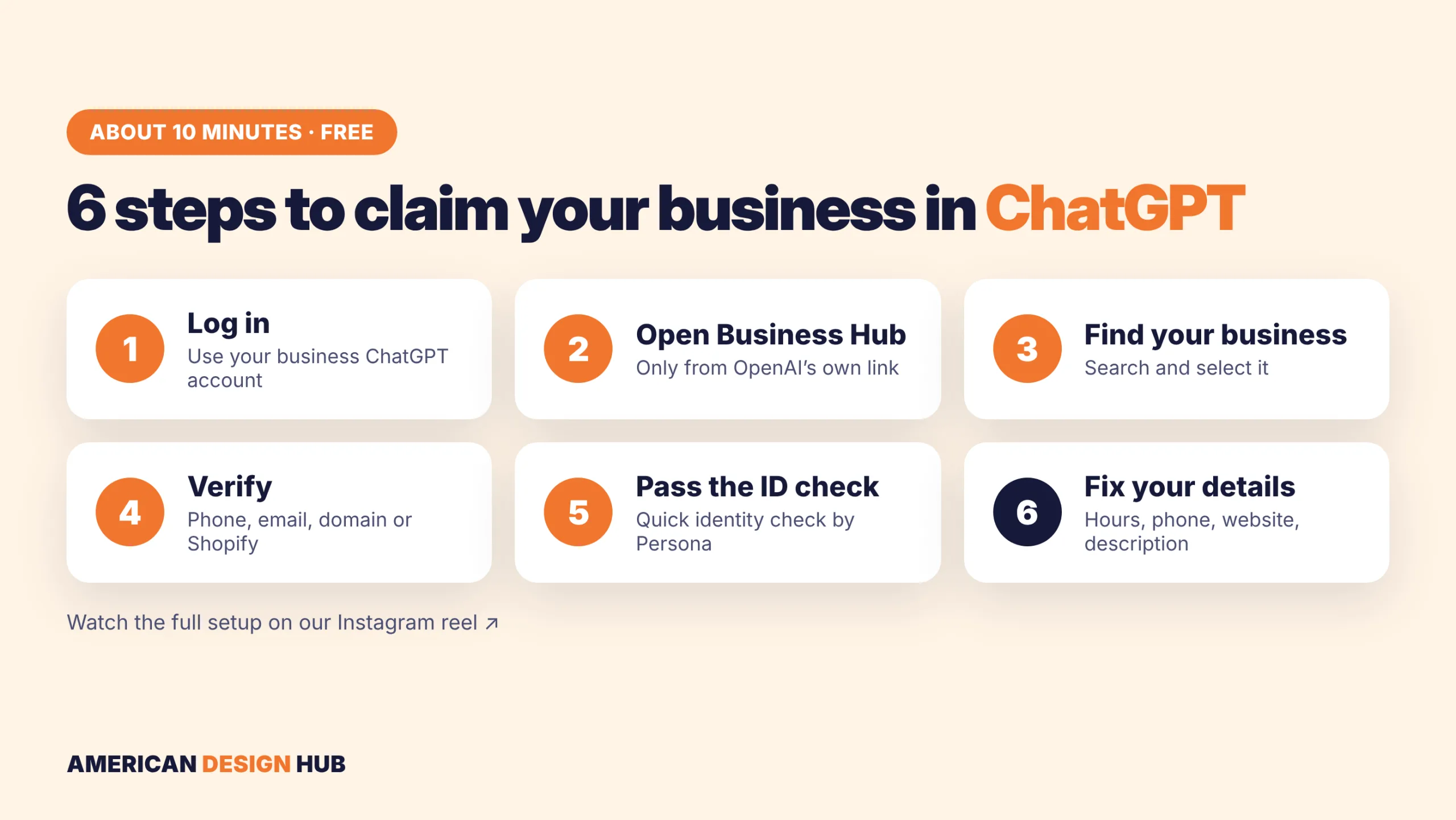
- Log in to ChatGPT with your work account. Use the account your business will manage the listing from, not a personal one you share with family.
- Open the Business Hub. Use the link inside ChatGPT or OpenAI's help center. Ignore anyone selling "ChatGPT claim services." Claiming is free.
- Search for your business and select it. Online businesses that aren't listed may see an option to add one.
- Click "Get Started" and verify. OpenAI can check you through a business phone number, a business email, your website domain, or your Shopify account.
- Pass the ID check. OpenAI uses Persona for identity verification. You need this before you can publish changes, connect products, see insights, or create an agent.
- Fix your details. Correct your name, category, hours, phone, website and description. Make them match your website and Google profile word for word.
Two quick tips:
- See "Contact support" instead of verification options? Your listing is locked. Go through OpenAI support from that screen.
- Running a Shopify store? You can connect it to sync your products, prices and stock. OpenAI's app is listed as free in the Shopify App Store.
Not sure your business name, description and visuals are strong enough to stand out once you're listed? A clear brand identity makes every profile, in ChatGPT, Google or Instagram, look like the same trusted business.
Bonus: Your Own AI Agent Inside ChatGPT
Some businesses can go one step further and launch a Business Agent.
When your business shows up in a ChatGPT answer, a customer can open your profile and chat with your agent. It answers their questions using your own product details, like a sales assistant who never sleeps. Agent chats are clearly labeled and kept separate from ChatGPT's own answers.
The rules are strict, which is good for customers:
- Agents must say they're AI.
- Prices must be accurate.
- No pressure tactics.
- Buying something or sharing personal data needs the customer's clear approval.
For now, buyers are sent to your own website to check out. OpenAI is building in-chat payments with Visa.
Who gets it: only eligible US ecommerce and online-service businesses with a website, at launch.
Our honest advice: don't publish an agent until your prices, policies and product info are up to date everywhere. An AI agent repeating wrong prices is worse than no agent. If you want an assistant that also works on your own site, look at AI business automation.
The Catch Nobody Tells You
Claiming your business does not guarantee ChatGPT will recommend you.
ChatGPT still picks its own answers. Even paid ads don't change that: businesses can sponsor their agent in ChatGPT Ads, but OpenAI says paying does not change how often ChatGPT recommends a business (TNW).
So claiming is step one. Here's what actually helps ChatGPT trust you and mention you more:
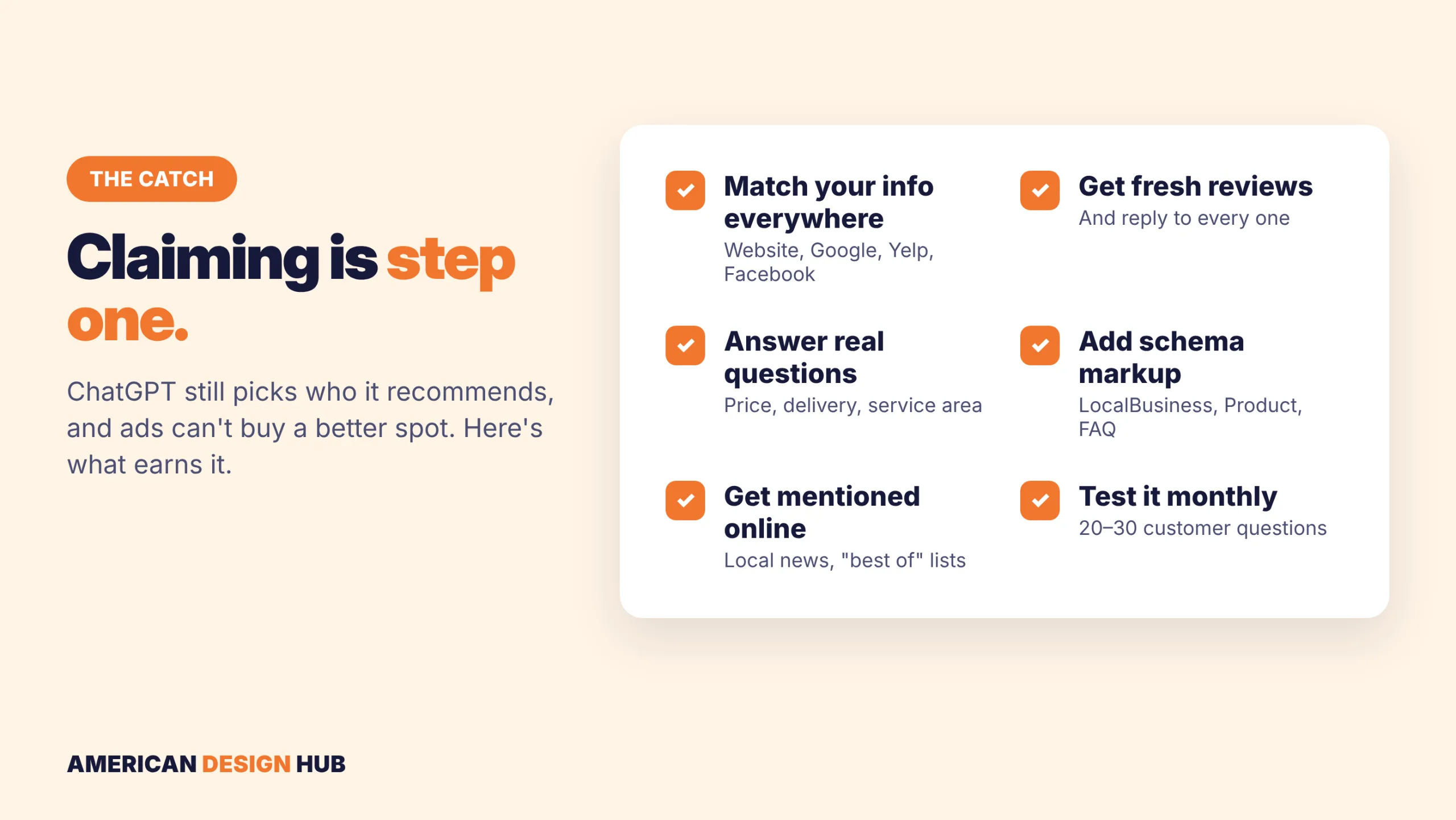
- Make your info match everywhere. Same name, address, phone and hours on your website, Google profile, Yelp, Facebook and every directory. Mixed signals make AI unsure about you.
- Collect fresh reviews and reply to them. A steady stream of recent reviews matters more than a pile of old ones.
- Answer real customer questions on your website. Clear pages for "How much does it cost?", "Do you deliver?" and "What areas do you serve?" give ChatGPT something to quote. Good content marketing does exactly this.
- Add structured data to your site. Schema markup (LocalBusiness, Product, FAQ) tells AI tools exactly what your business is. Your web developer can add it in an afternoon.
- Get mentioned where AI looks. Local news, "best of" lists, industry blogs and press releases are the sites AI tools tend to cite.
- Test yourself every month. Ask ChatGPT, Gemini and Perplexity 20 to 30 questions your customers would ask. Note where you show up and where competitors do.
Not sure where your website stands? Start with a free website checkup from American Design Hub. We'll show you what's holding you back in Google and AI search.
Why You Should Do It Before Small Business Saturday
Small Business Saturday falls on November 28, 2026, and shoppers are ready.
American Express's 2026 Shop Small study (via Self Employed) found:
- 88% of US consumers plan to shop at small businesses this holiday season.
- 65% rely on recommendations from friends and family, and 45% on customer reviews.
- 90% of small business owners expect to use AI tools this season.
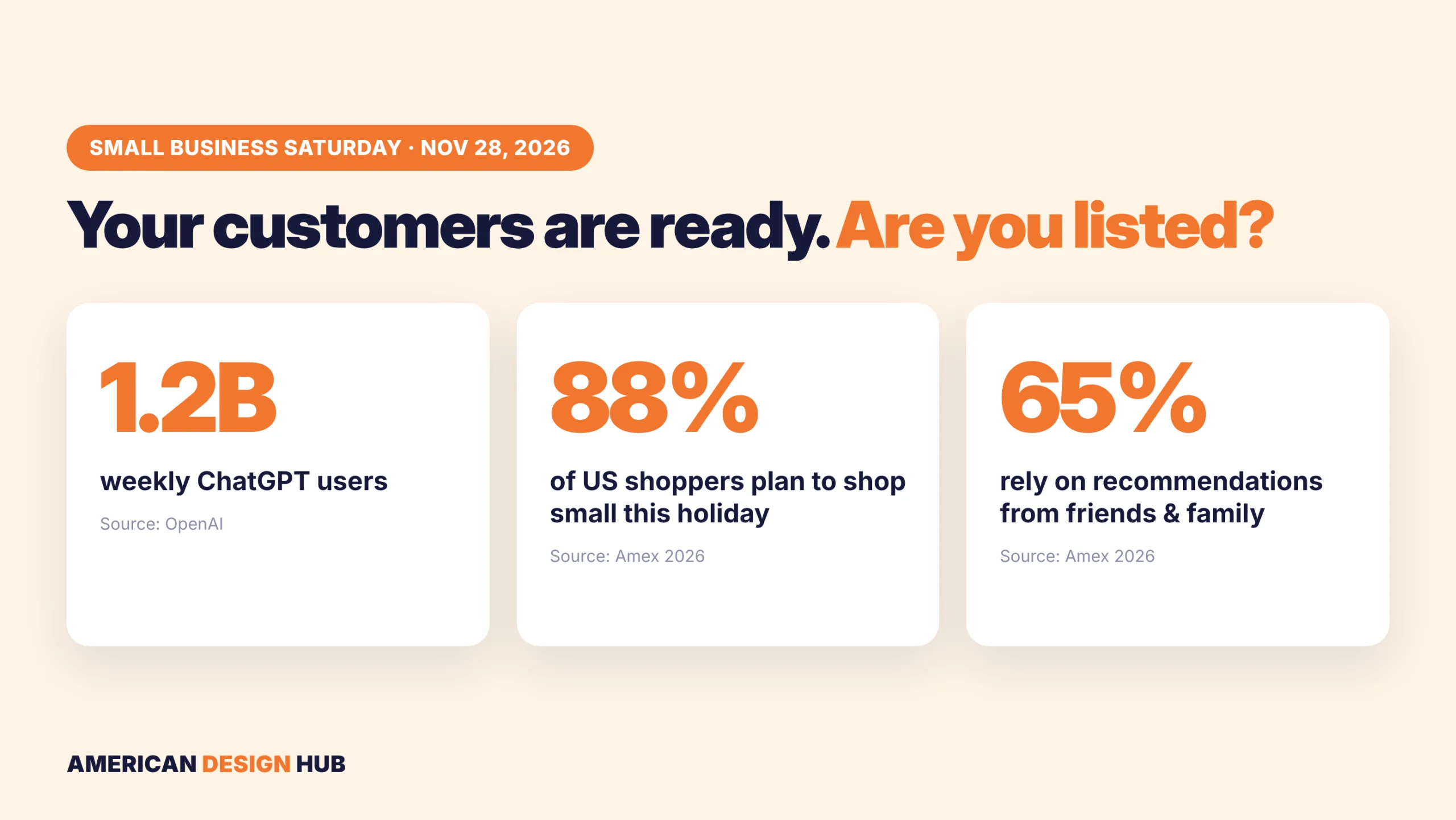
People trust recommendations. More and more, ChatGPT is that recommendation. Claim your profile now, and your correct hours, holiday deals and website link are ready when the rush starts.
Your 10-minute checklist
- Log in to ChatGPT with your business account
- Find your business in the Business Hub and click Get Started
- Verify by phone, email, domain or Shopify
- Pass the Persona ID check
- Update name, hours, phone, website and description
- Make your Google profile and website say the exact same thing
- Ask three happy customers for a review this week
- Ask ChatGPT about your business and see what it says
Ten Minutes Today, Customers All Season
You already do a hundred things to keep your business running. This one is free, it's fast, and it puts your business in front of over a billion people who are asking ChatGPT where to shop, eat and hire.
Claim your profile this week. Then make sure what ChatGPT finds when it looks at your business, your website, your brand and your reviews, is something you're proud of.
That's where we come in. American Design Hub is an Atlanta design agency trusted by 500+ brands across the USA. We help new and small business owners with:
- Website design and development that's ready for Google and AI search
- Logo design and branding that make you look established from day one
- SEO and social media marketing that bring customers to your door
See real results in our case studies, or get a free project estimate in minutes.