

For most of the past year, the Codex vs Claude Code debate was a two-horse race. Developers picked a side, argued about it on Reddit, and moved on. Then on August 5, 2026, Meta walked in with Muse Code, a terminal-based coding agent powered by its new Muse Spark 1.2 model, and a price tag that undercuts both rivals by a wide margin.
So now there are three serious AI coding agents, three pricing models, and a lot of confusion about which one is worth your time and money.
We build websites, web apps, and mobile products for clients across the USA every week, so we care about this question for practical reasons. Below is a plain, honest breakdown of how the three tools compare on price, features, and real workflow fit, plus our take on which one wins for different kinds of teams.
Codex vs Claude Code vs Muse Code: The Quick Verdict You Need
If you only have 30 seconds, here is the short answer.
-
Claude Code wins for deep, multi-file work on large codebases and for developers who want the most mature terminal agent with strong IDE support.
-
Codex wins for teams already paying for ChatGPT, and for anyone who wants the widest choice of surfaces (desktop app, web, mobile, CLI, IDE, and cloud tasks), plus a free entry tier.
-
Muse Code wins on raw cost per token. It is the cheapest way to run long agentic sessions, but it is still in beta and runs only on macOS and Linux.

|
Feature |
Claude Code |
OpenAI Codex |
Meta Muse Code |
|
Made by |
Anthropic |
OpenAI |
Meta |
|
Launch status |
Generally available |
Generally available |
Beta (launched Aug 5, 2026) |
|
Entry price |
Included in Claude Pro, $20/month |
Free tier, Go $8/month, Plus $20/month |
Pay as you go, no subscription |
|
Heavy-use plans |
Max at $100 or $200/month |
Pro at $100, $200, or $500/month |
Standard tier: $1.25 input / $4.25 output per 1M tokens |
|
Where it runs |
Terminal, VS Code, JetBrains, web, desktop |
CLI, IDE extension, desktop app, web, mobile, cloud |
Terminal only (macOS and Linux) |
|
Context window |
Up to 1M tokens (varies by model) |
Varies by model |
1M tokens |
|
Best for |
Complex codebases and long refactors |
ChatGPT users and teams wanting many surfaces |
Budget-conscious developers running long tasks |
Pricing verified against official vendor pages and launch coverage in October 2026. AI pricing changes often, so always confirm on the vendor's site before you buy.
What Is Muse Code? Meta's Bold New Challenger, Explained
Muse Code is Meta's first AI coding agent. Mark Zuckerberg announced it on August 5, 2026, alongside Muse Spark 1.2, a coding-focused update to the Muse Spark model family. Meta says the model and the agent were trained together so they work as a pair.
It installs with a single command and lives entirely in your terminal. There is no desktop app and no graphical interface. You give it a task, and it plans the change, writes the code, runs it, and checks the result across your whole repository.

Three things make Muse Code stand out from the crowd:
Persistent background agents. Most coding agents spin up a fresh helper for each subtask, and that helper starts with no memory. Muse Code keeps specialized background agents alive for your whole session, so they build up context as the work goes on instead of relearning your project every time.
Parallel work in isolated Git worktrees. For bigger jobs, Muse Code splits the work across several sub-agents, each in its own Git worktree. They work at the same time without touching your actual working copy. Meta says that in testing, it built six features for a game at once without any collisions.
Crash recovery through an event log. Every model call, tool run, and file edit is written to a local log before it happens. If the session crashes halfway through a task, Muse Code picks up from the log rather than starting over. For anyone who has lost an hour of agent work to a dropped connection, that matters.
It also ships with built-in skills like /plan (turns a task into a plan you approve), /grill (stress-tests that plan), and /goal (drives it to completion).
The honest caveat: Muse Code is a beta. Meta has said larger models are coming, and early tools tend to have rough edges. Treat it as promising, not proven.
Claude Code Pricing vs Codex Pricing vs Muse Code Pricing: Find the Best Value
Pricing is where these three tools are most different, and where most buyers get confused. Two of them are subscriptions with usage limits. The third is pure pay as you go.
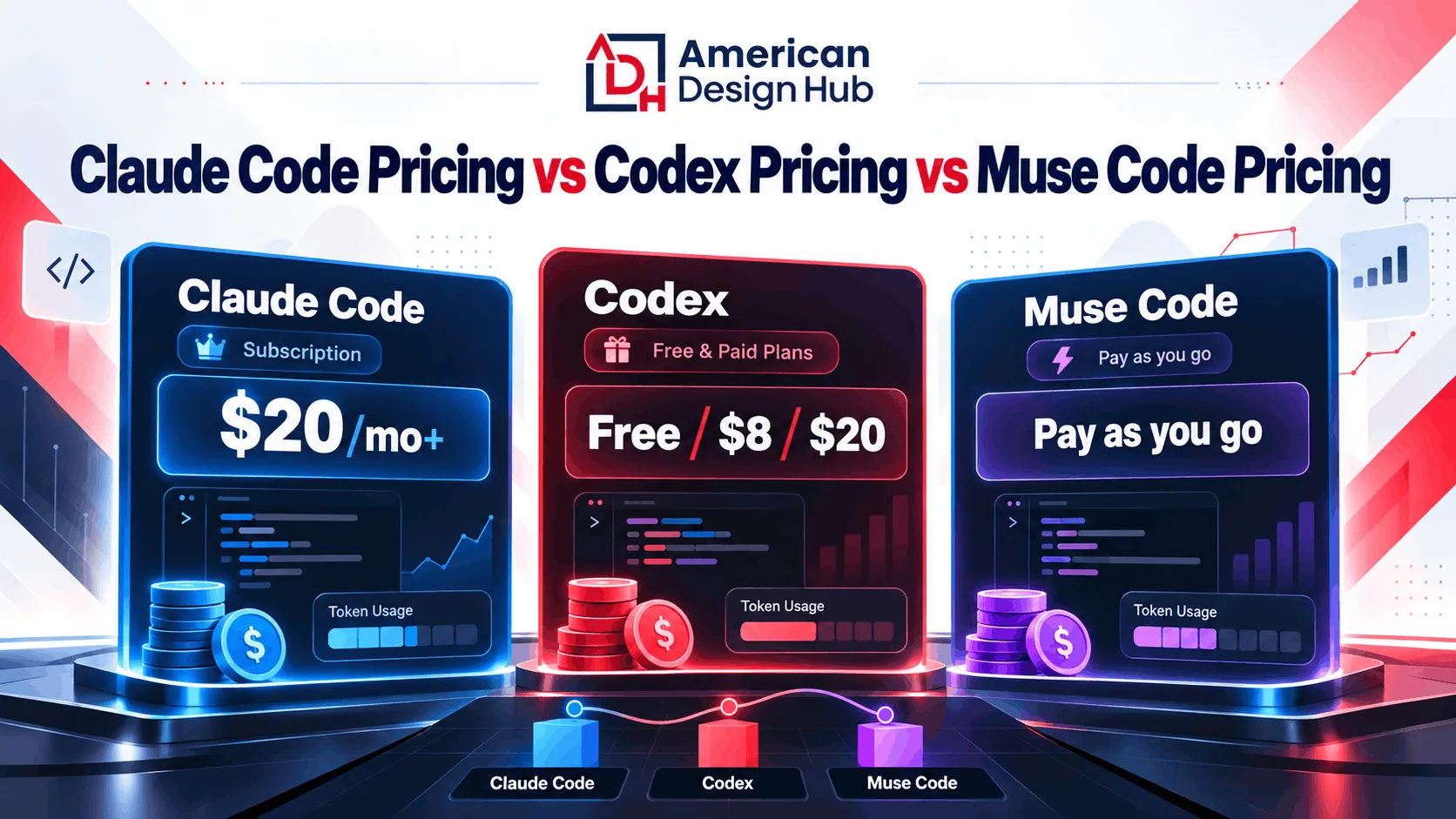
Claude Code pricing
Claude Code is not sold on its own. It comes bundled with paid Claude plans, and your coding and chat usage share the same pool.
-
Pro: $20/month, or $17/month billed annually. Good for light to moderate use.
-
Max 5x: $100/month. Five times the usage of Pro.
-
Max 20x: $200/month. Built for developers who live in the terminal all day.
-
Team: Standard seats at 25/month(20 billed annually); Premium seats with 5x usage at 125/month(100 billed annually).
-
Enterprise: $20 per seat per month plus usage at API rates.
-
API: You can also run Claude Code on pay-as-you-go API credits.
There is no free Claude Code plan. The free Claude plan covers chat, not the coding agent.
Codex pricing
Codex is bundled into ChatGPT plans, and it is the only one of the three with a free entry point.
-
Free: $0, with limited access for quick tasks.
-
Go: $8/month for lightweight coding.
-
Plus: $20/month. Unlocks Codex across web, CLI, IDE, and iOS, plus cloud features like automatic GitHub code review and Slack integration.
-
Pro: $100, $200, or $500/month, depending on how much headroom you need.
-
Business: $25 per user per month, or $20 billed annually.
-
API key: Pay standard API token rates, useful for CI pipelines and automation.
Since April 2026, Codex usage on paid plans is metered with token-based credits rather than message counts.
Muse Code pricing
Muse Code has no subscription at all. You pay per token through two tiers:
-
Standard tier: $1.25 per million input tokens and $4.25 per million output tokens, with cached input at $0.15 per million. Your prompts are not used to train Meta's models.
-
Contributor tier: About $0.10 per million input tokens and $0.20 per million output tokens. The trade-off is that your prompts and completions may be used to train Meta's models, and it is only available in select countries.
Our honest read: Muse Code is the cheapest on paper, especially the contributor tier. But a subscription can still win if you use an agent heavily every day, because fixed monthly plans cap your spend while pay-per-token bills grow with every long session. If your work involves client code, think hard before choosing any tier that trains on your data.
Features Compared: Which AI Coding Agent Packs the Most Power?
All three agents can read a codebase, plan changes, edit files, run commands, and verify results. The differences are in how they do it and where you can use them.
Claude Code
Claude Code is widely seen as the most mature terminal agent of the three. It handles multi-file refactors and large repositories well, supports up to a 1M token context window depending on the model, and plugs into VS Code and JetBrains as well as running in the terminal, on the web, and in the desktop app. It also supports MCP (Model Context Protocol) servers for connecting outside tools, plus hooks and subagents for custom workflows.
The common complaint is cost. Heavy users often end up on a $100 or $200 Max plan, and long agentic runs can burn through limits fast.
OpenAI Codex
Codex has the broadest reach. You can use it in an open-source CLI, an IDE extension, a desktop app for Mac, Windows, and Linux, on the web, on mobile, and as cloud tasks that run in the background. On Plus and above, you can tag @codex in a GitHub pull request for a code review, or hand off work from Slack and Linear.
It also offers sandboxing and permission controls, subagents, MCP support, and Git worktrees. For teams that already live in ChatGPT, it is the lowest-friction option.
Meta Muse Code
Muse Code is deliberately narrow: terminal only, macOS and Linux only. What it gives up in surfaces, it makes up for in architecture. Persistent background agents, parallel worktrees, and log-based crash recovery are smart design choices for long, unattended jobs. Meta's research post shows Muse Spark 1.2 competitive on Terminal-Bench 2.1 and DeepSWE 1.1, though independent testing is still thin.
If you are on Windows or want an editor plugin, Muse Code is not ready for you yet.
Codex CLI vs Claude Code vs Muse Code CLI: The Terminal Showdown
Many developers search codex cli vs claude code because the terminal is where the real work happens. Here is how the three command-line experiences compare in practice.
-
Install: All three install from the command line in minutes. Muse Code is a single command on macOS and Linux.
-
Long tasks: Muse Code's event log gives it the edge for hours-long jobs that might get interrupted. Claude Code and Codex both handle long sessions well but rely on their own context management.
-
Parallel work: Muse Code and Codex both use Git worktrees for parallel agents. Claude Code supports subagents for splitting up work.
-
Automation: Codex's API key mode and SDK make it easy to drop into CI pipelines. Claude Code also runs headless for automation, with a separate credit pool for automated usage on subscription plans.
-
Ecosystem: Claude Code and Codex both have mature MCP and plugin ecosystems. Muse Code's ecosystem is just getting started.
The takeaway: for daily terminal work today, Claude Code and Codex are the safer bets. Muse Code is the one to watch, and to test on non-sensitive side projects.
Is Muse Code a Good Claude Code Alternative? Our Straight Answer
Plenty of developers are searching for a Claude Code alternative, mostly because of price. Muse Code is the most interesting option to appear this year, and for some people it is a genuine alternative.
Muse Code makes sense if:
-
You run long, mostly unattended coding sessions and token cost is your biggest concern.
-
You work on macOS or Linux and are comfortable in the terminal.
-
You are building personal projects or prototypes where early-beta risk is acceptable.
Stick with Claude Code or Codex if:
-
You work on Windows or rely on an IDE plugin.
-
You need stability for client work or production code.
-
Your team needs admin controls, SSO, and audit logs.
-
You do not want your code used to train someone else's model.
Which AI Coding Agent Should You Choose? Pick Your Perfect Match
There is no single winner for everyone. The best AI coding agent depends on how you work.

-
Choose Claude Code if you work on large, complex codebases, need reliable multi-file refactors, and want strong terminal plus IDE support.
-
Choose Codex if you already pay for ChatGPT, want a free tier to start with, or need the widest range of surfaces from desktop to mobile to GitHub reviews.
-
Choose Muse Code if cost per token is your top priority, you are on macOS or Linux, and you are comfortable with beta software.
Many professional teams end up using two of these side by side. One handles deep refactors, the other handles quick fixes and code reviews.
Want Real Results? Let Expert Developers Put AI to Work for You
Here is the part most comparison articles skip. AI coding agents are powerful, but they do not ship products on their own. Someone still has to define what to build, review every change, catch security issues, design an interface people actually enjoy, and keep the whole thing running after launch.
That is the work we do at American Design Hub. Our team uses modern AI tools to move faster, then applies real design and engineering judgment to make sure the result is solid.
-
Need a custom platform or SaaS product? Our web application development team builds scalable products from idea to launch.
-
Need a fast, conversion-focused site? Explore our website design and development services.
-
Building an app? Our mobile app development team covers iOS, Android, and cross-platform apps.
-
Want an interface people love? See our UI/UX design work.
-
Want AI working inside your business, not just your codebase? Our AI business automation solutions handle leads, operations, and follow-up.
-
Tech company? See how we help technology and SaaS brands explain complex value fast.
The Bottom Line
The Codex vs Claude Code rivalry just became a three-way race. Claude Code still leads on depth, Codex leads on reach and free access, and Muse Code leads on price with some genuinely clever engineering underneath. Pick the one that fits how you work, test it on a real project, and keep an eye on Muse Code as it leaves beta.
And when you are ready to turn code into a product your customers love, talk to American Design Hub. We bring strategy, design, and development together under one roof.
Talk to American Design Hub. We bring strategy, design, and development together under one roof.
Talk to ADH

Ready to build something real?
Get a free project estimation
Frequently Asked Questions
Codex is OpenAI's coding agent, bundled with ChatGPT plans and available across a CLI, IDE extension, desktop app, web, mobile, and cloud tasks. Claude Code is Anthropic's coding agent, bundled with paid Claude plans and known for deep, multi-file work on large codebases in the terminal and IDE. Codex has a free tier; Claude Code starts at $20/month with Claude Pro.
Neither is better for everyone. Claude Code is often preferred for complex refactors and large repositories. Codex is often preferred by ChatGPT users and teams that want more surfaces and GitHub integration. The right choice depends on your workflow and budget.
Muse Code is Meta's first AI coding agent, launched in beta on August 5, 2026. It runs in the terminal on macOS and Linux, is powered by the Muse Spark 1.2 model, and uses persistent background agents, parallel Git worktrees, and a local event log for crash recovery.
Muse Code is pay as you go. The standard tier costs $1.25 per million input tokens and $4.25 per million output tokens. A cheaper contributor tier costs about $0.10 and $0.20 per million tokens, but your prompts may be used to train Meta's models, and it is only available in select countries.
No. There is no free Muse Code plan. Both tiers are billed per token, though the contributor tier is very low cost.
At launch, Muse Code installs on macOS and Linux. Windows is not listed as supported, so Windows developers should use Claude Code or Codex for now.
No. Claude Code requires a paid Claude plan, starting with Pro at $20/month, or pay-as-you-go API credits. The free Claude plan does not include Claude Code.
For most professional developers, Claude Code and Codex are the most reliable choices in 2026. Muse Code is the strongest budget option but is still in beta. Many teams use two agents together for different tasks.
